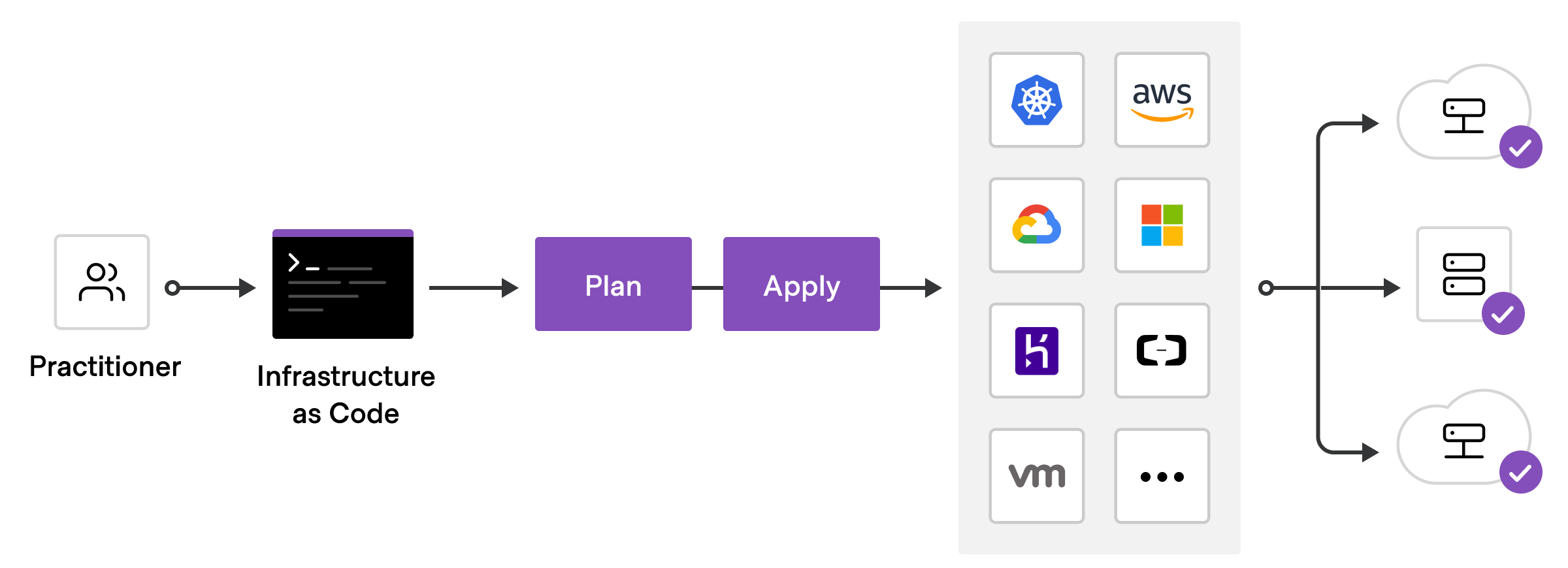
Terraform is an Infrastructure-as-Code (IaC) service that enables you to provision resources using code, meaning you can thoroughly and efficiently configure deployments and environments using code.
Infrastructure-as-Code made easy
Terraform allows you to edit, update, and version your infrastructure through code. Having your infrastructure deployed through code enables you to repeat deployments and solutions using that same code in the future. This allows you not only to have repeatable deployments but also disposable ones.
Terraform has been compared to AWS CloudFormation. It is a product of Hashicorp and is known for choosing AWS cloud as their preferred cloud infrastructure. Terraform is an AWS Partner Network (APN) Advanced Technology Partner. Manually defining your resources through code comes with many benefits: the ability to manage infrastructures across multiple cloud platforms, a configuration language that is easy to read and write, and the ability to track, version and collaborate on your configuration.
Terraform utilises Application Programming Interfaces (APIs) to interact and integrate with many different platforms and services. The extended list of provider APIs Terraform supports can be found at registry.terraform.io.
Key Terraform Concepts
Variables
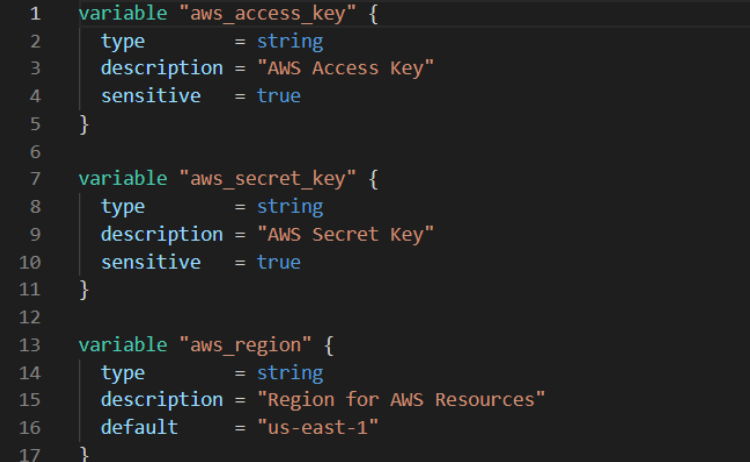
Terraform utilises variables to make provisioning and defining resources easier while making the overall code cleaner and more efficient. Terraform variables are written using its own JSON-type syntax known as HCL (Hashicorp Configuration Language), with additional JSON support. Terraform uses input and output variables — similar to function arguments and function return values — allowing you to reference different modules or pieces of code from areas in your configuration.
Modules
Modules are used for grouping your code and Terraform configuration files in a more logical and tidy manner, giving your configuration more structure and allowing you to reuse certain modules in other projects. Terraform only runs files ending in .tf, meaning your modules won't be affected as they're kept in their own subdirectories. Your code can be broken into smaller chunks to serve the larger configuration and deployment plan.
Commands
Terraform has many commands to make deployment more efficient while greatly reducing room for error. The main Terraform CLI commands include:
- init — Prepare your working directory for other commands
- validate — Check whether the configuration is valid
- plan — Show changes required by the current configuration
- apply — Create or update infrastructure
- destroy — Destroy previously-created infrastructure
For a more in-depth look at the commands refer to terraform.io/cli/commands. You can always use the -help flag for assistance with any command.
Multi-tier Applications
Multi-tier architectures are becoming increasingly prevalent. Terraform works very well with them, understanding the dependencies and priorities of different resources. It knows to create subnets before creating web servers, and to link those web servers to the corresponding web nodes. Terraform can also make testing your production environment easier by sharing configuration code with a development or testing environment, allowing you to quickly spin up an identical environment and destroy it once testing is complete.
Collaboration
When using Terraform Cloud (free for up to five users), you can share your state with other users in your team. With Terraform's remote state backends, multiple users can work on the same configurations. Additionally, you can connect Terraform with version control systems like GitHub, giving you version control that prevents overwrites or accidental deletes.
Contact CloudZA to discuss how we can assist you in modernising your infrastructure with Terraform and AWS.